 Parts Desk
Every part.
Every box.
Every project.
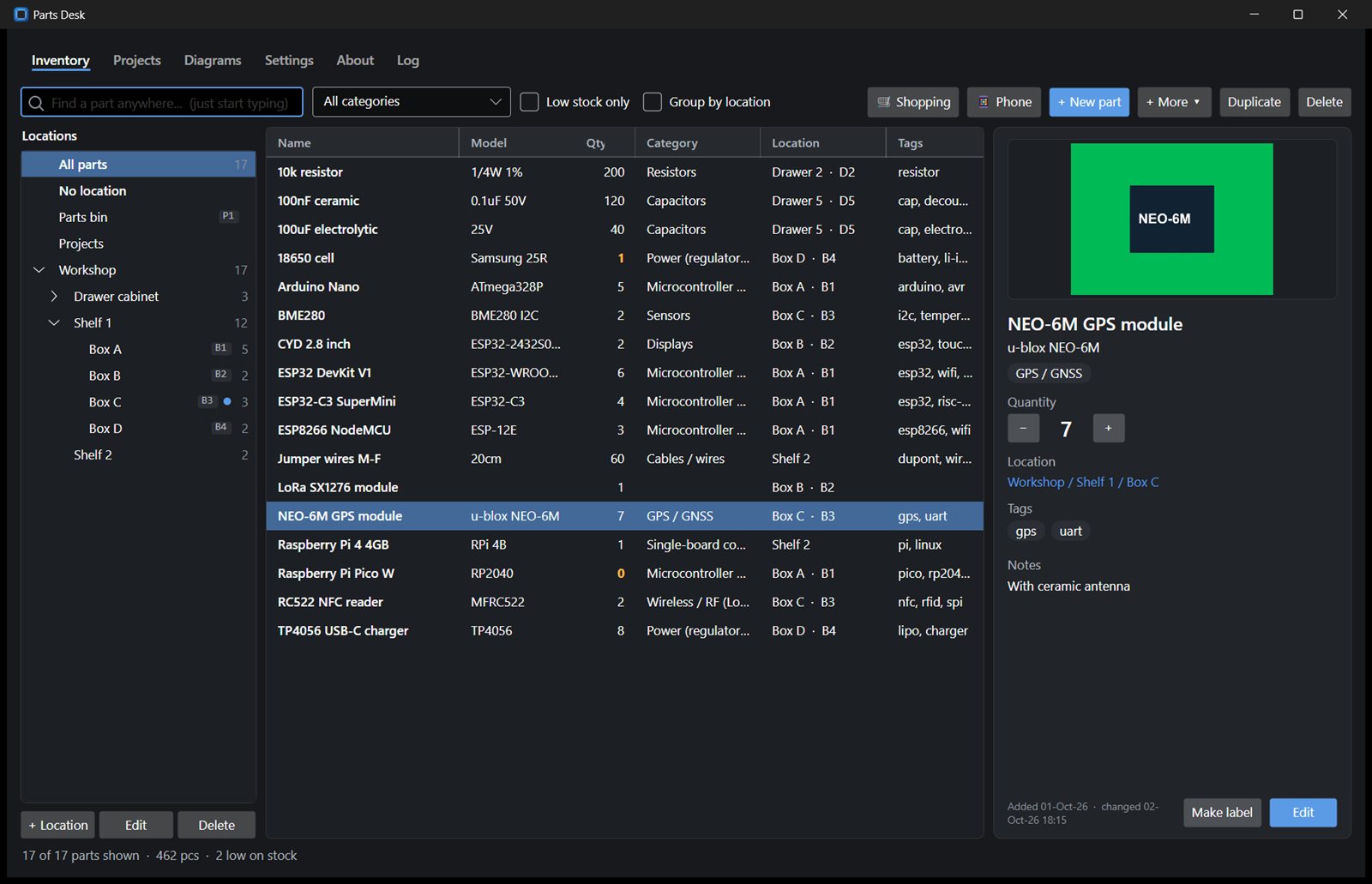
Parts Desk keeps track of your electronics parts (ESP boards, Arduinos, Raspberry Pis, modules, sensors and components) and exactly which box they are in. Plan your builds, draw the wiring, and let AI tell you what that board in the drawer is.
Version 1.34.2 · All downloads. No account needed.
Everything for the parts drawer
From a single resistor to a whole build: find it, plan it, wire it.
Every box, every drawer
Locations as a tree (room, shelf, box) with short box codes. Type or scan a code to jump straight to that box, and print box labels.
Photos from your phone
Take photos with your phone over Wi-Fi, or search for product pictures right in the app. Quantities, low-stock warnings, prices and history.
Identify with AI
Photo or shop title in, name, model, category and pinout out. Claude, OpenAI, Gemini, or a model on your own PC with Ollama, plus an optional web lookup.
Pinouts for 2,300+ modules
Hand-checked pinouts of common boards plus the Fritzing, Adafruit, SparkFun and Seeed libraries. Not there? Ask the AI.
Projects
Notes, parts lists that check your stock, a shopping list, shop order import, files and links. Share a read-only project page with a link.
Wiring diagrams
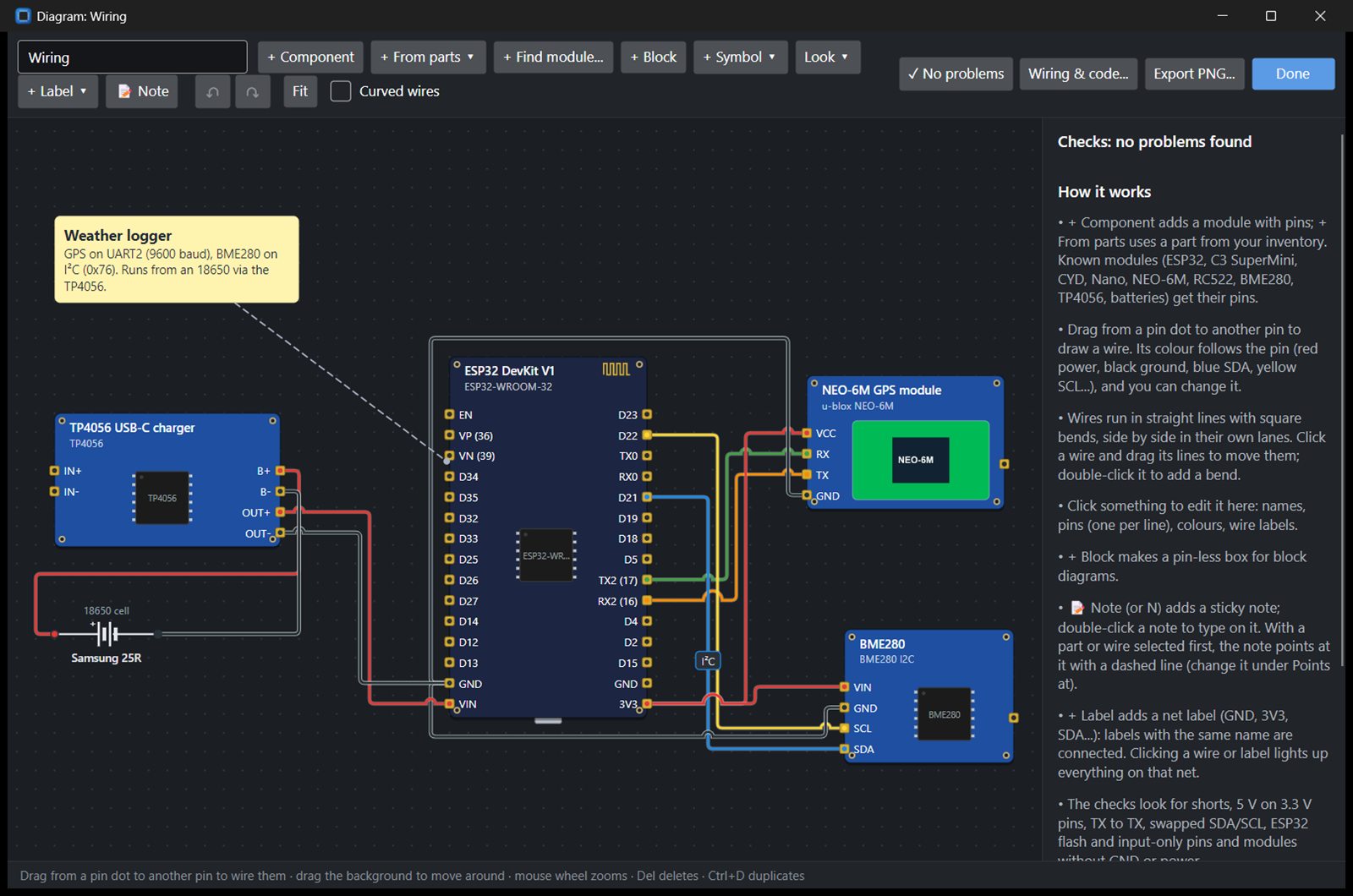
Boards and schematic symbols, square wires that hop over each other, notes that point at parts, wiring checks and ready-to-use pin code.
Labels
One click makes a label for a box or part in PTouch Desk, Niim Desk or Label Desk, for Brother P-touch and NIIMBOT printers.
Sync, if you want
Keep the inventory, photos, projects and diagrams the same on every computer, Windows and Linux. Changes merge part by part.
Yours to keep
Works fully offline, with daily backups and CSV import and export. AI keys stay on your computer, never synced.
Draw the wiring before you solder
- Boards look like the real thing; resistors, LEDs and buttons get proper symbols
- Checks catch shorts, 5 V on 3.3 V pins, TX to TX and swapped I²C lines
- Wiring table and pin definitions for Arduino, ESPHome and MicroPython
- Export a picture, or add the parts straight to the project's list
Sync is optional
Parts Desk is free and complete without an account. Sign in from Settings › Sync to keep several computers in step, here or on your own server.
Free
€0
- Up to 100 parts
- 5 projects and 5 diagrams
- 250 MB for photos and files
- Locations don't count
- Over the limit nothing is lost: newer items stay on your computer
Supporter
€2 / month
or €20 / year
- Unlimited parts, projects and diagrams
- 500 MB for photos and files
- Cancel any time
- Sold through Link (Stripe), VAT included
Self-hosted
Free
- Run the sync server yourself, e.g. on a Raspberry Pi or NAS
- No limits, no subscription
- One Docker command
Download
Free, for Windows 10/11 and 64-bit Linux · version 1.34.2. It checks for updates itself.
How syncing works
Create an account here or in the app, confirm your e-mail address, then sign in from Settings › Sync in Parts Desk on each computer. Changes are merged part by part, so you can work on two computers and both edits are kept. If the very same part was changed on both, the newest change wins. Your data is yours: download it or delete the account any time on the account page.